Sep 2018 - Jun 2019
Graduation Project in Taipei Tech
Team Leader
AR Developer
UX/UI Reviewer
Prototyping with Sketch & Adobe XD
Unity3D with Apple ARKit
Networking with Node.js & PUN
Overload’s 720p, with sound 14.5 MiB
The Challenges
Multiplayer AR Experience with Topics
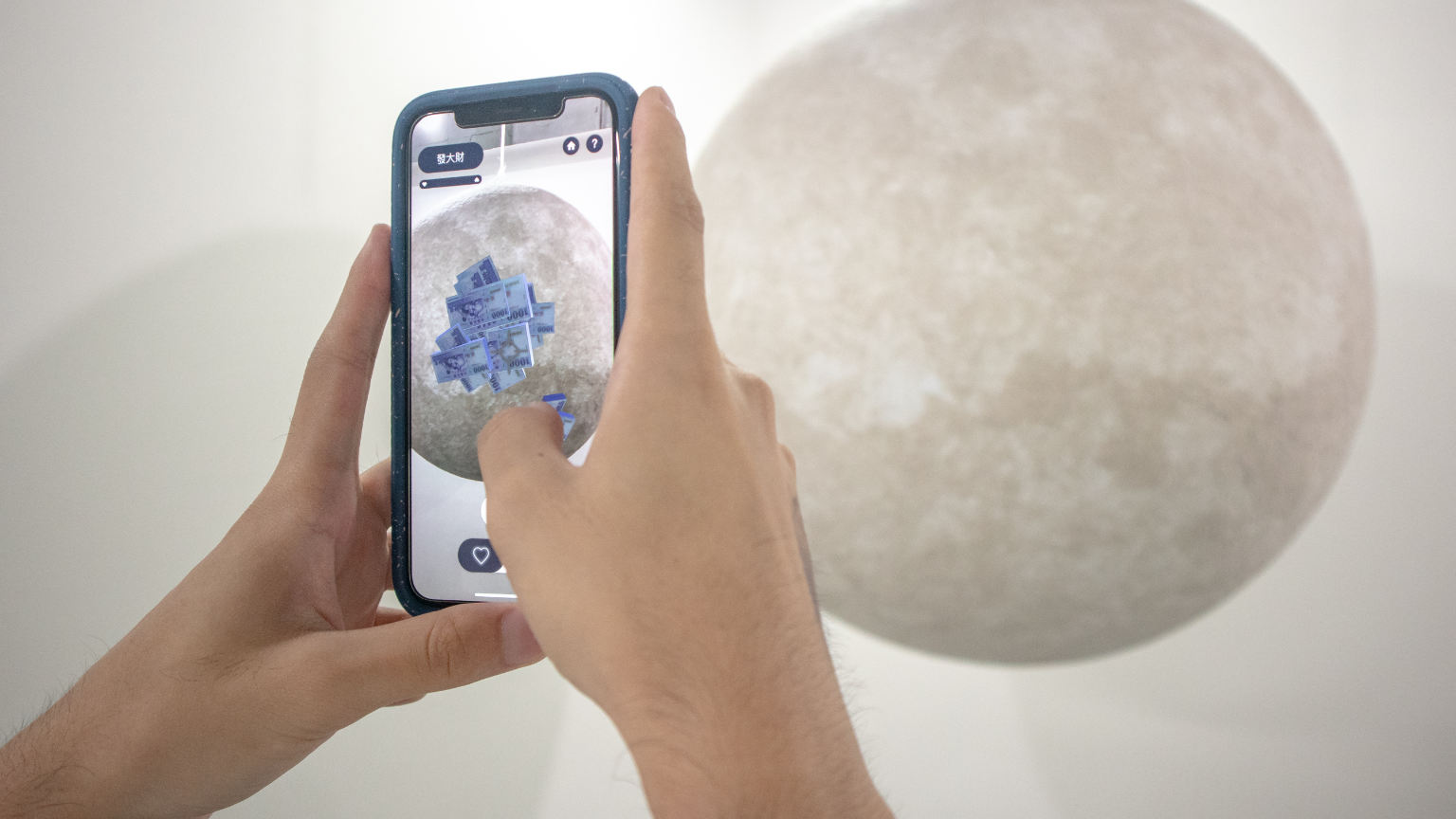
Welcome to Overload, the AR interaction installation
A conceptual installation exploring online behavior
Our project explores viral social media trends in Taiwan (across platforms like PTT, Dcard, and Facebook) and the nature of public discourse surrounding them. We wanted to examine how online interactions often devolve into echo chambers, cyberbullying, or trolling, overshadowing constructive conversation.
To bring this installation to life in an engaging and satirical way, we faced several key challenges:
- Designing visual effects and 3D graphics that represent online vitriol and trolling behaviors in AR;
- Crafting intuitive mobile interfaces that seamlessly support AR spatial interactions;
- Building a stable multiplayer AR environment synchronized via a dedicated server.
How the AR overlay aligns with the physical centerpiece and maps player inputs 720p, silent 11.3 MiB
My Role
Unity, Apple ARKit, and Multiplayer Synchronization
As the technical developer, my primary role was to establish a shared, real-time multiplayer AR space:
- Tracking device camera positions in 3D space to spawn virtual elements accurately;
- Aligning the ARKit WorldMap so multiple players share the exact same spatial coordinates;
- Serializing and syncing spatial maps via a Node.js server and Photon Unity Networking (PUN);
- Designing 3D visual effects in Unity and anchoring them to a physical planet installation;
- Developing responsive layout adjustments to fit various iOS viewports.
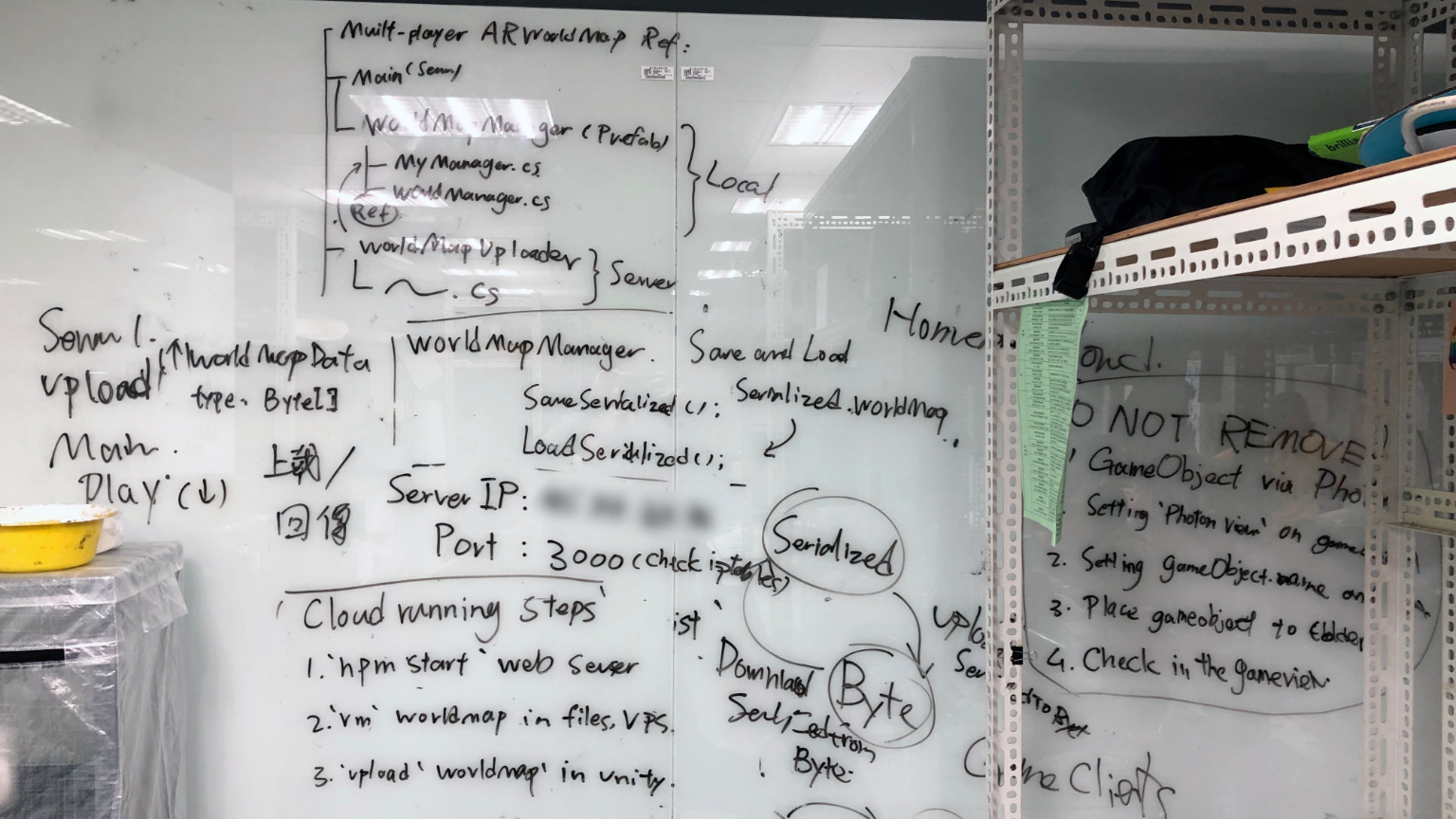
System architecture outlining Unity, ARKit, Node.js, and Photon synchronization
Challenge #1: Synchronizing the Spatial WorldMap
The main technical hurdle was maintaining consistent coordinate alignment across multiple devices. I resolved this by serializing the ARKit spatial map using SerializeToByteArray(), uploading it to our Node.js server, and using Photon RPC (Remote Procedure Calls) to distribute and load the serialized map onto all connected players' devices.
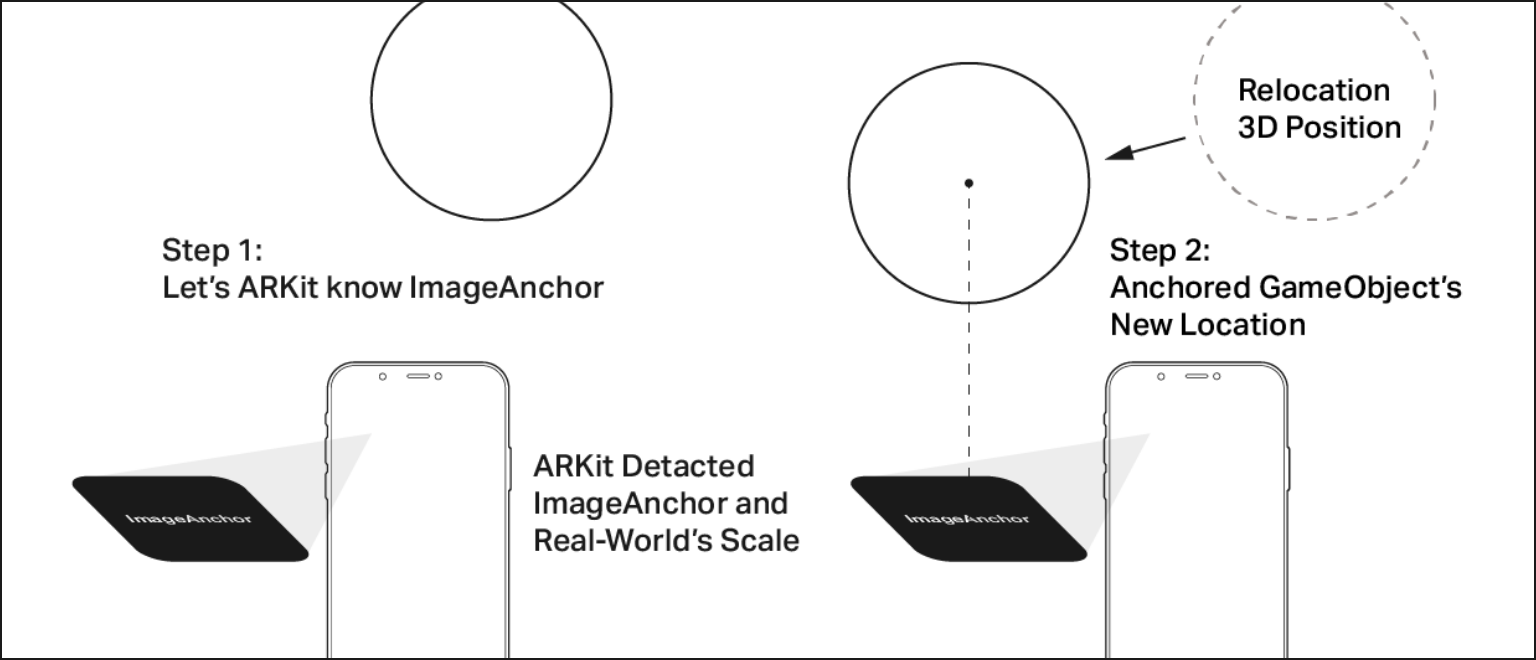
How ImageAnchor works
Challenge #2: Anchoring Virtual Graphics to the Physical World
The installation consists of two components: a physical planet centerpiece in the exhibition space, and a dynamic layer of virtual AR graphics.
I used ARKit's ImageAnchor system to align these two layers. After configuring the target image within Unity and exporting it to Xcode, I adjusted the physical reference image dimensions on the centerpiece to ensure pixel-perfect alignment. Combined with the synchronized spatial map, this allowed the physical centerpiece and the virtual AR elements to blend seamlessly.
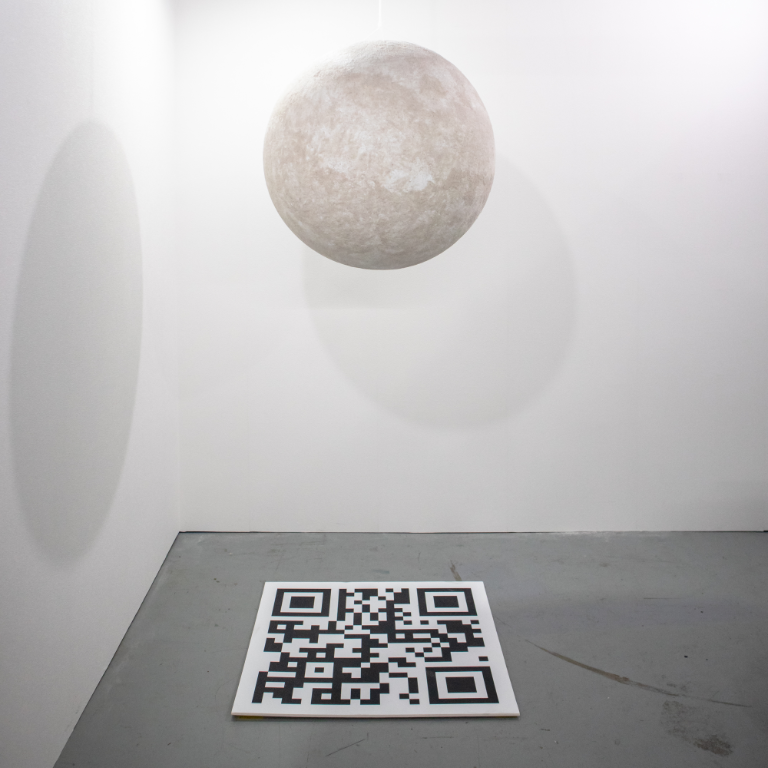
The exhibition space featuring the physical centerpiece and the ImageAnchor tracking target
Methods
Bridging the Gap Between Design and Development
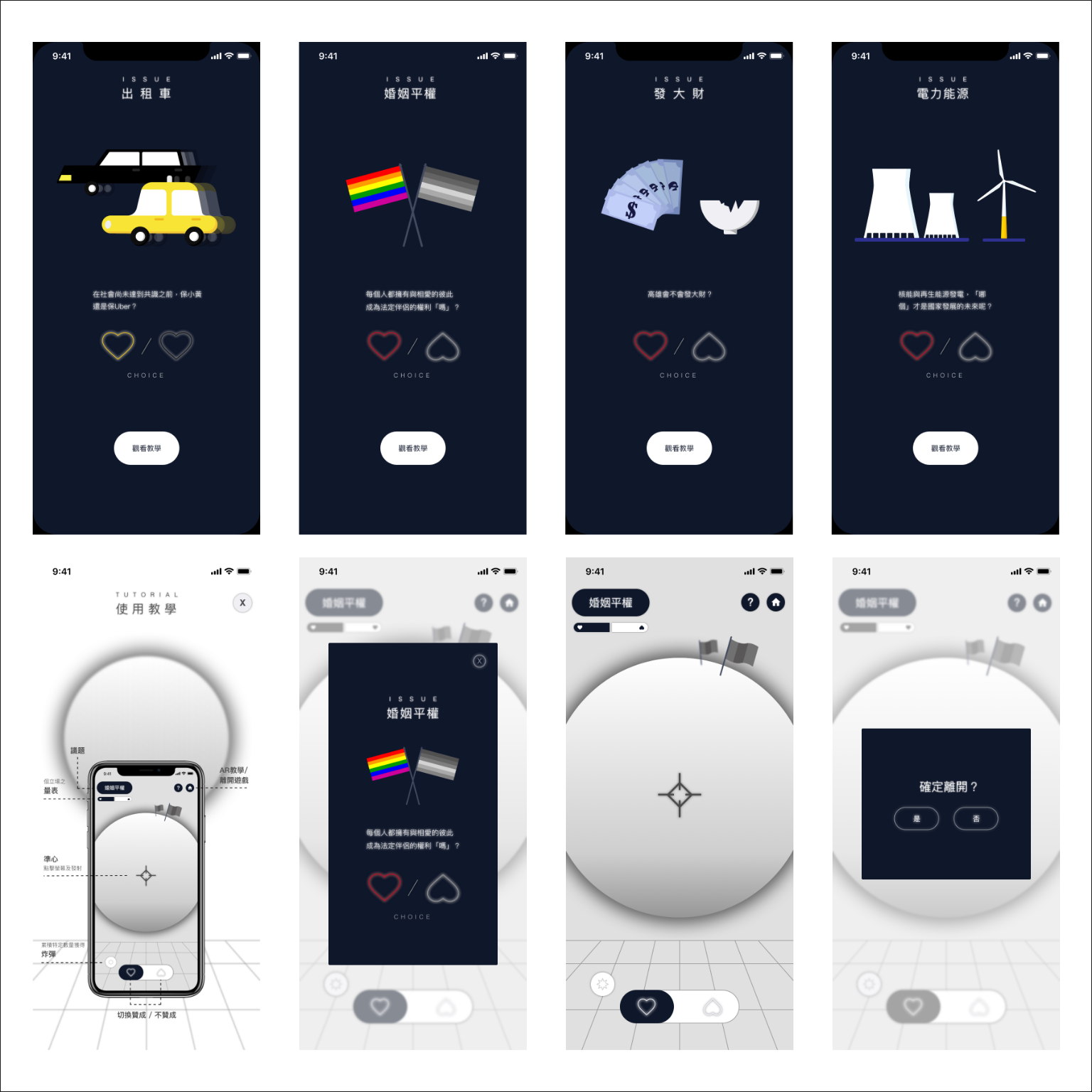
Satirical UI elements and vector assets
Empathy in the Dev-Design Workflow
This project was my first experience stepping fully into a lead developer role, tackling complex networking and spatial tracking logic. Our team consisted of myself as developer, two UI/UX designers/product managers, and one physical installation supervisor.
As the designers delivered interface wireframes and visual assets, I translated them into Unity's UI system. Having a strong design background allowed me to spot potential usability issues or scaling bottlenecks early in the development loop. I could quickly address minor details directly or provide detailed, constructive feedback to our designers to iterate on interactions more effectively.
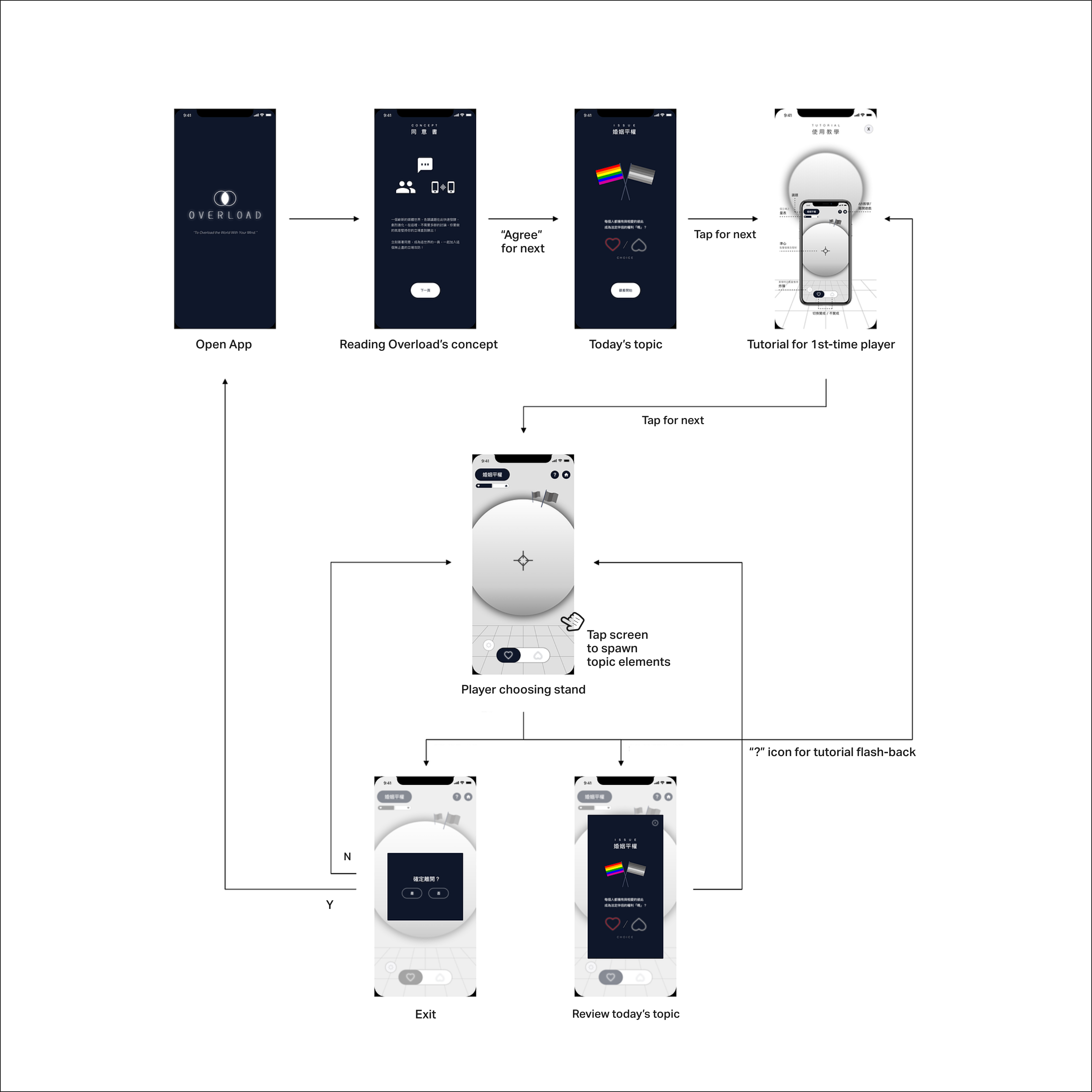
Player's flow and UI logic
Physical Space Coordination
I worked closely with our installation supervisor to frequently measure, scale, and calibrate the physical centerpiece's position against our digital AR image anchors. This meticulous tuning was essential to prevent visual drift and deliver a comfortable, stable experience for players.
The Final
Trolling, discussing, and visual commentary
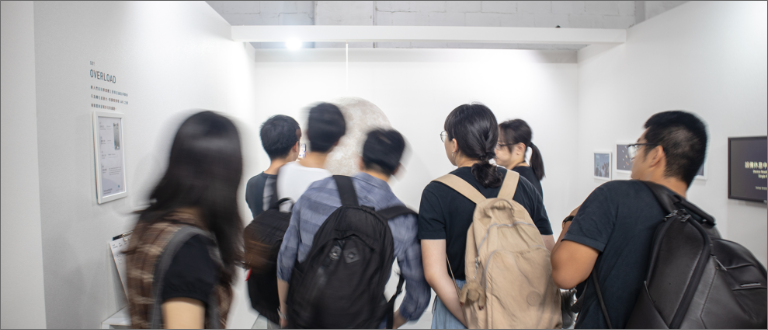
People enjoying our work
https://www.chiyun-tsou.com/overload
https://www.mengyuntsai.com/project-overload
http://www.poooooof.cc